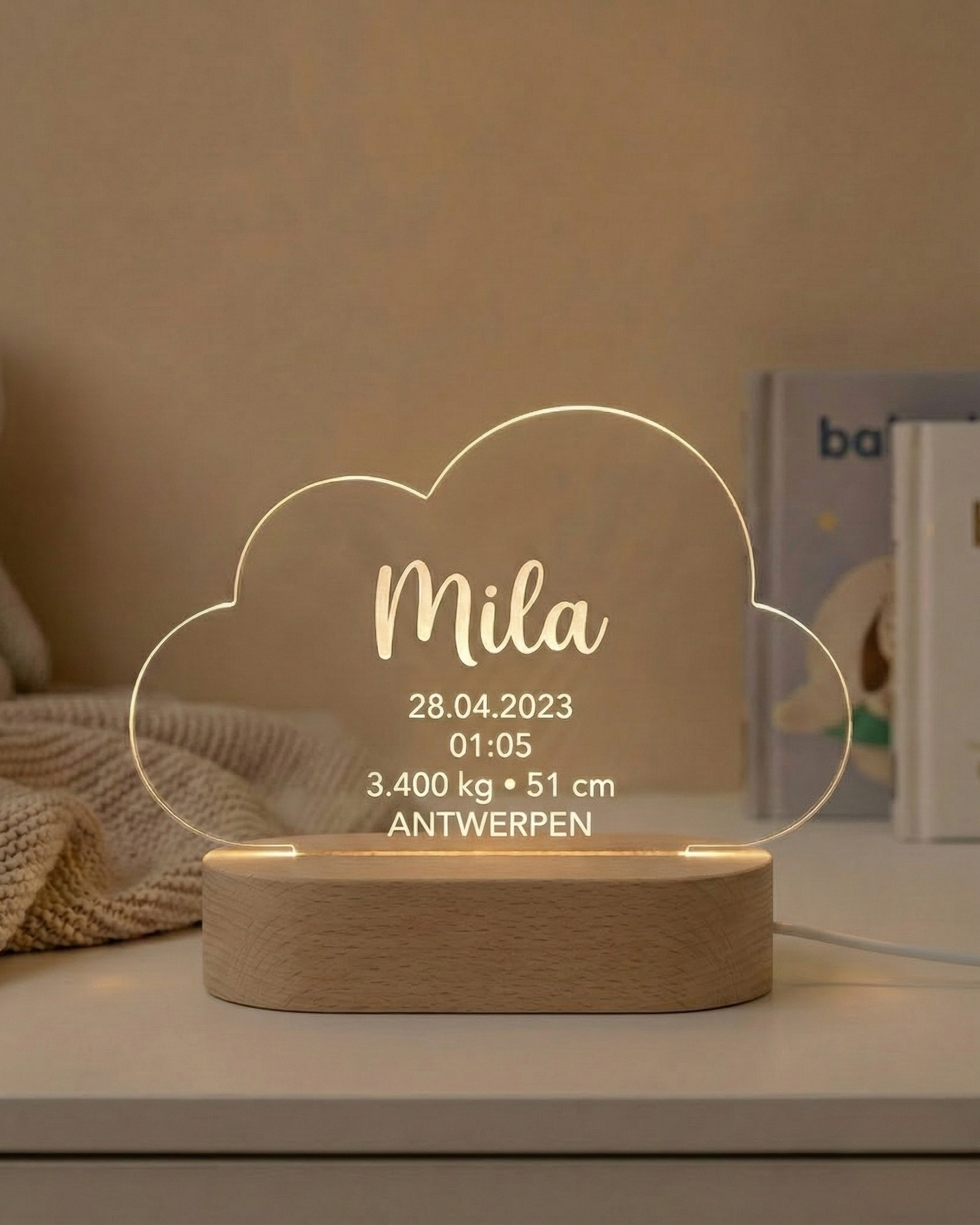
Choose FirstLight™ when you want a personalised birth stats lamp that preserves one baby’s name, birth date, time, weight, length and birthplace in a softly illuminated keepsake. AtaNova laser-engraves the approved details on clear acrylic and pairs the panel with a solid wood USB-powered LED base. You can choose 3-Color Light or RGB and select a Standard Rectangle, Heart Shape, Circle Shape or Cloud Shape.
FirstLight™ belongs to AtaNova’s personalised lamps collection and Baby & Kids collection. It is the clearest choice when the complete birth record matters more than a photograph, a symbolic night sky or a name-only room lamp. This guide explains what to personalise, which options to choose and what to check before ordering.
Is FirstLight™ the Right Lamp for You?
FirstLight™ is designed around the factual record of one child’s arrival. Choose it when the baby’s name, date, time, weight, length and birthplace are the central meaning of the gift or nursery display.
- Choose FirstLight™ when you want the full birth record to remain visible.
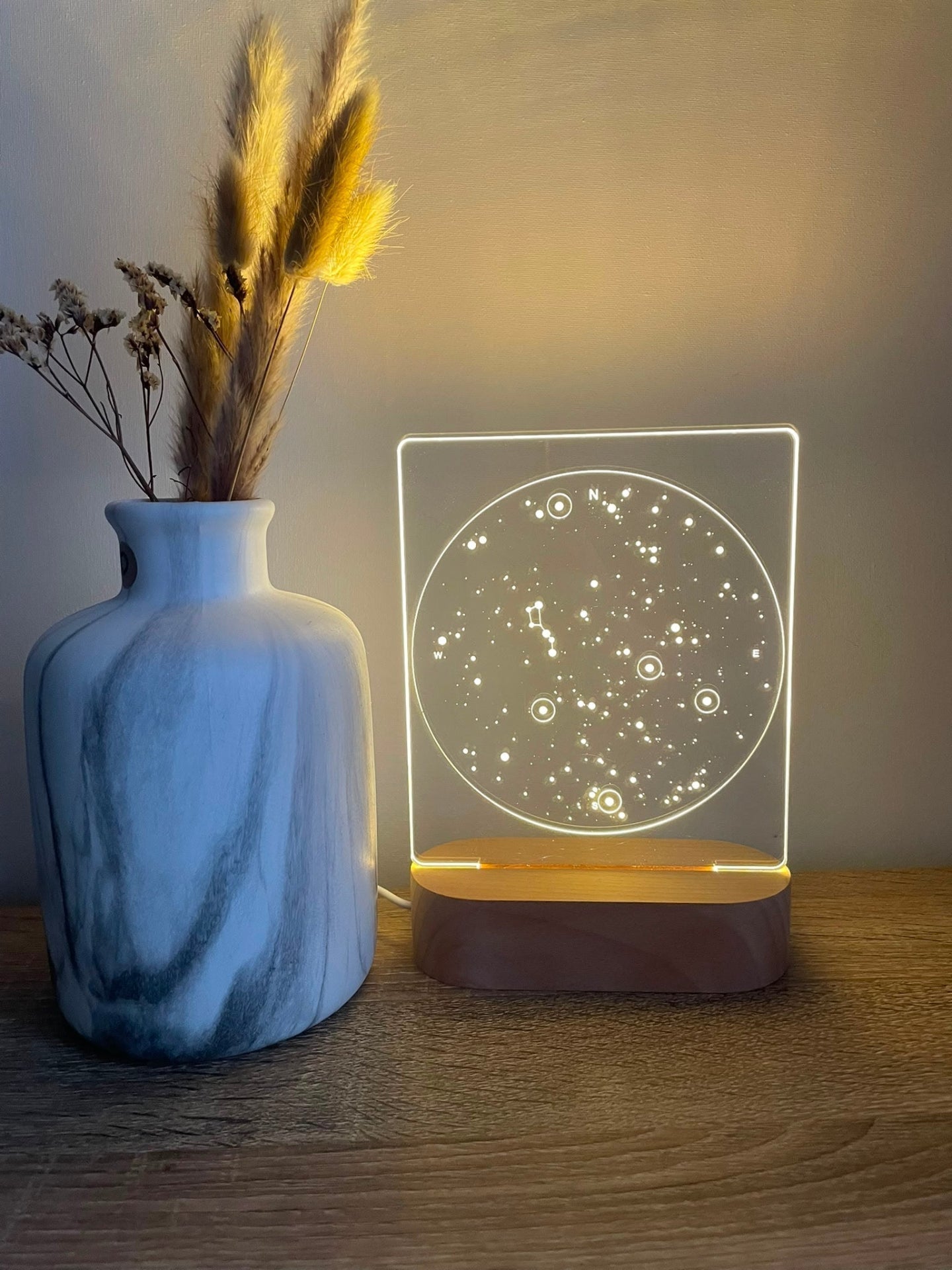
- Choose a star map lamp when the date, location and night sky are the main story.
- Choose a name lamp when the child’s name and room theme should lead the design.
- Choose a photo lamp when a recognisable baby, parent-and-child or family photograph is the memory.
For a wider comparison of these formats, read Personalised Lamps Explained: Photo, Star Map, Birth Details or Name?
What Is FirstLight™?
FirstLight™ — Birth Stats Lamp is a made-to-order personalised LED lamp created in our atelier in Antwerp. The approved design is laser-engraved directly into premium clear acrylic rather than printed onto the surface. The engraved lines catch the light from a solid wood USB-powered LED base.
The result is both a decorative indoor lamp and a personalised keepsake. During the day, the clear panel keeps the design visually light. When illuminated, the baby’s name and birth information become more prominent.
Which Birth Details Can You Add?
FirstLight™ can include the details that identify one specific birth:
- Baby’s name: first name, full name or preferred name.
- Date of birth: in the written or numerical format you want engraved.
- Time of birth: including your preferred time format.
- Birth weight: entered with the correct number and measurement unit.
- Birth length: entered with the correct number and measurement unit.
- Birthplace: city, hospital name or another meaningful birth location.
- Optional short message: one or two short lines for the cleanest layout.
Enter every detail exactly as it should appear. Do not rely on memory for numbers or spelling. Check the birth announcement, hospital record or information confirmed by the parents before submitting the order.
For a step-by-step factual check, read How to Check Birth Details Before Ordering FirstLight™.
How to Choose the Right Acrylic Shape
The selected panel shape changes the outline around the birth information, while the personalisation remains focused on the same child and birth record.
Standard Rectangle
Choose Standard Rectangle for a clean, balanced presentation with a straightforward vertical outline. It suits customers who want the information to lead without an additional decorative shape.
Heart Shape
Choose Heart Shape when you want the lamp to carry a softer, more emotional outline. It can suit gifts from parents, grandparents, godparents or close family members.
Circle Shape
Choose Circle Shape for a rounded and visually compact frame around the birth details. It works well when the recipient prefers softer geometry without using a symbolic heart or nursery-themed cloud.
Cloud Shape
Choose Cloud Shape when the lamp will be displayed mainly in a nursery or child’s room and a more child-centred outline suits the space.
Should You Choose 3-Color Light or RGB?
The engraving and personal details are prepared through the same Design Proof process for both light options. The difference is the lighting experience.
- 3-Color Light: choose this for a simpler display with three selectable tones.
- RGB: choose this for a broader multicolour option and more flexibility to change the atmosphere.
Choose the light option according to the room and the recipient’s preference, not according to the amount of personalisation. The baby’s name and birth record remain the central content in both versions.
FirstLight™ Size, Materials and Display
FirstLight™ is approximately 14.5 cm wide and 22 cm high in total, including a solid wood LED base approximately 3 cm high. Its compact freestanding format is suitable for a stable nursery shelf, dresser, cabinet, bookcase or bedside surface.
- Panel: premium clear acrylic suitable for precise laser engraving.
- Base: solid wood LED base with natural grain variation.
- Power: USB-powered; a USB cable is included.
- Finish: laser-engraved acrylic, not surface printed.
- Use: decorative indoor lighting and personalised nursery display.
Natural wood may vary slightly in grain pattern and tone. This is an expected material variation and does not change the function of the lamp.
Who Is FirstLight™ For?
FirstLight™ is most relevant when the giver knows that the family will value the exact facts of the child’s arrival. It can be chosen by:
- Parents creating a permanent birth keepsake for their child.
- Grandparents welcoming a grandchild.
- Godparents choosing a personal baptism or naming ceremony gift.
- Relatives and close friends looking for a newborn gift made for one child.
- Colleagues giving a thoughtful group gift to a new parent.
When Does FirstLight™ Make the Right Gift?
Newborn or Birth Gift
Order after the baby arrives when all birth details are known and can be checked before the Design Proof is prepared.
Baby Shower Gift
You can place the order before the birth and provide the final details after the baby arrives. Production begins only after the complete information has been confirmed and the Design Proof has been approved.
Baptism or Naming Ceremony Gift
The child’s name and first recorded details make FirstLight™ suitable for a family celebration centred on the child’s arrival and identity.
First-Birthday Gift
The birth record remains relevant after the newborn period. A first birthday can be a suitable moment to preserve the beginning of the child’s story in a lasting display.
FirstLight™, NovaMap™ or DreamLight™?
These lamps can all relate to a child, but they answer different customer needs.
- FirstLight™: choose it for the baby’s complete birth record.
- NovaMap™: choose it when the night sky, date and location of the birth are the main story.
- DreamLight™: choose it when the child’s name and selected room theme should lead.
FirstLight™ is the most direct choice for customers searching for a personalised birth stats lamp, baby birth details lamp or illuminated newborn keepsake.
What Should You Check Before Ordering?
- Confirm the exact name. Check spelling, accents, hyphens and capitalisation.
- Confirm the date and time. Choose the format exactly as it should be engraved.
- Confirm weight and length. Include the correct measurement units.
- Confirm the birthplace. Decide whether to use the city, hospital or another meaningful location.
- Keep the optional message short. One or two short lines usually create the clearest layout.
- Select the panel shape. Choose Standard Rectangle, Heart Shape, Circle Shape or Cloud Shape according to the intended display style.
- Select the light option. Choose 3-Color Light or RGB.
- Check the display location. Make sure there is a stable indoor surface and a suitable USB power source.
- Review the Design Proof carefully. Check every word, number, unit and line before approval.
Why the Design Proof Matters
Birth details contain several pieces of information that must work together visually and remain accurate. AtaNova prepares a digital Design Proof and sends it by email before engraving begins.
- You submit the baby’s details and selected options.
- We prepare a clean digital layout.
- You receive the Design Proof by email.
- You approve it or request a small correction.
- Engraving begins only after final approval.
Use the proof to check the name, date, time, weight, length, birthplace, message, selected shape and overall arrangement. Once the approved design has been engraved, the personalised information cannot be changed on the finished acrylic panel. See the complete process on the How It Works page.
Production, Delivery and Care
Every FirstLight™ is made to order in our atelier in Antwerp. Production normally takes 1–2 business days after Design Proof approval and is included within the overall delivery promise of 3–5 business days from the order date. Tracked shipping information is sent when the completed order leaves the atelier.
Place the lamp on a stable, level indoor surface. FirstLight™ is decorative lighting, not a toy. Keep the acrylic panel, wooden base, USB cable and packaging outside the crib, cot and play area and out of reach of babies and young children.
Clean the acrylic gently with a soft, dry or slightly damp microfibre cloth. Avoid abrasive materials, alcohol-based cleaners and harsh cleaning products. Keep the wooden base away from excess moisture, prolonged direct sunlight and strong heat sources.
Choose FirstLight™ When the Birth Record Is the Memory
A photograph shows what a baby looked like. A star map represents the sky connected to a date and place. A name lamp makes the child’s identity part of the room. FirstLight™ has a different purpose: it preserves the exact first facts of one child’s life in one illuminated design.
Choose your FirstLight™ Birth Stats Lamp, or compare it with other designs in the AtaNova personalised lamps collection.
Frequently Asked Questions
What is the FirstLight™ Birth Stats Lamp?
FirstLight™ is a personalised USB-powered LED lamp with a baby’s name and birth details laser-engraved on clear acrylic and illuminated from a solid wood base.
Which birth details can I add?
You can add the baby’s name, birth date, time, weight, length, birthplace and an optional short personal message.
Which acrylic shapes are available?
You can choose Standard Rectangle, Heart Shape, Circle Shape or Cloud Shape. The same birth information can be arranged within each selected outline.
Should I choose 3-Color Light or RGB?
Choose 3-Color Light for a simpler display with three selectable tones. Choose RGB when you want a broader multicolour lighting option and more flexibility to change the atmosphere.
Can I order FirstLight™ before the baby is born?
Yes. You can place the order before the birth and provide the final details after the baby arrives. Production begins after the complete information is confirmed and the Design Proof is approved.
Will I see the design before engraving?
Yes. AtaNova sends a digital Design Proof by email before engraving. You can review the layout and request a small correction before approving production.
What size is FirstLight™?
FirstLight™ is approximately 14.5 cm wide and 22 cm high in total, including a solid wood LED base approximately 3 cm high.
How long does delivery take?
The overall delivery promise is 3–5 business days from the order date. Production normally takes 1–2 business days after Design Proof approval and is included within that total timeframe.