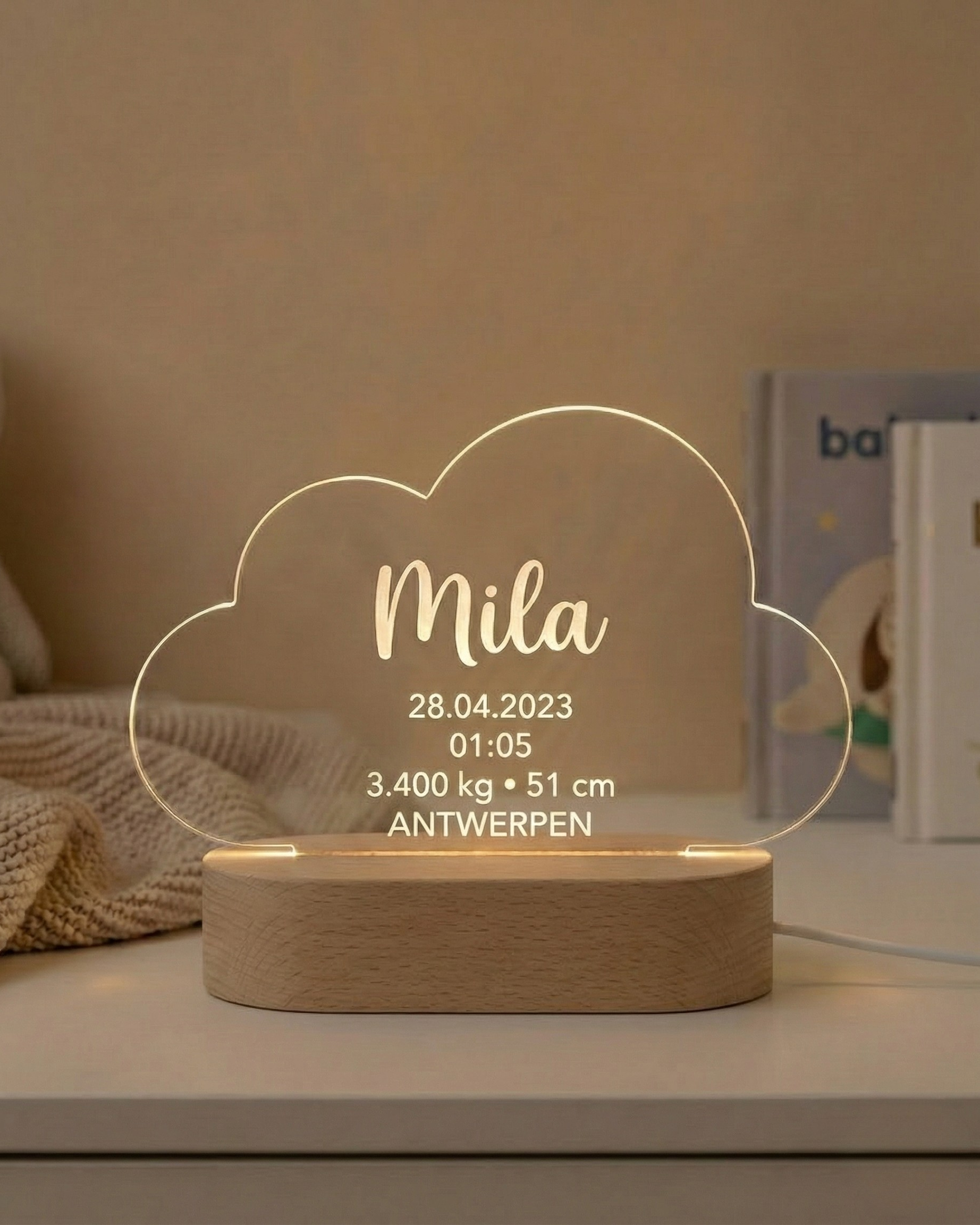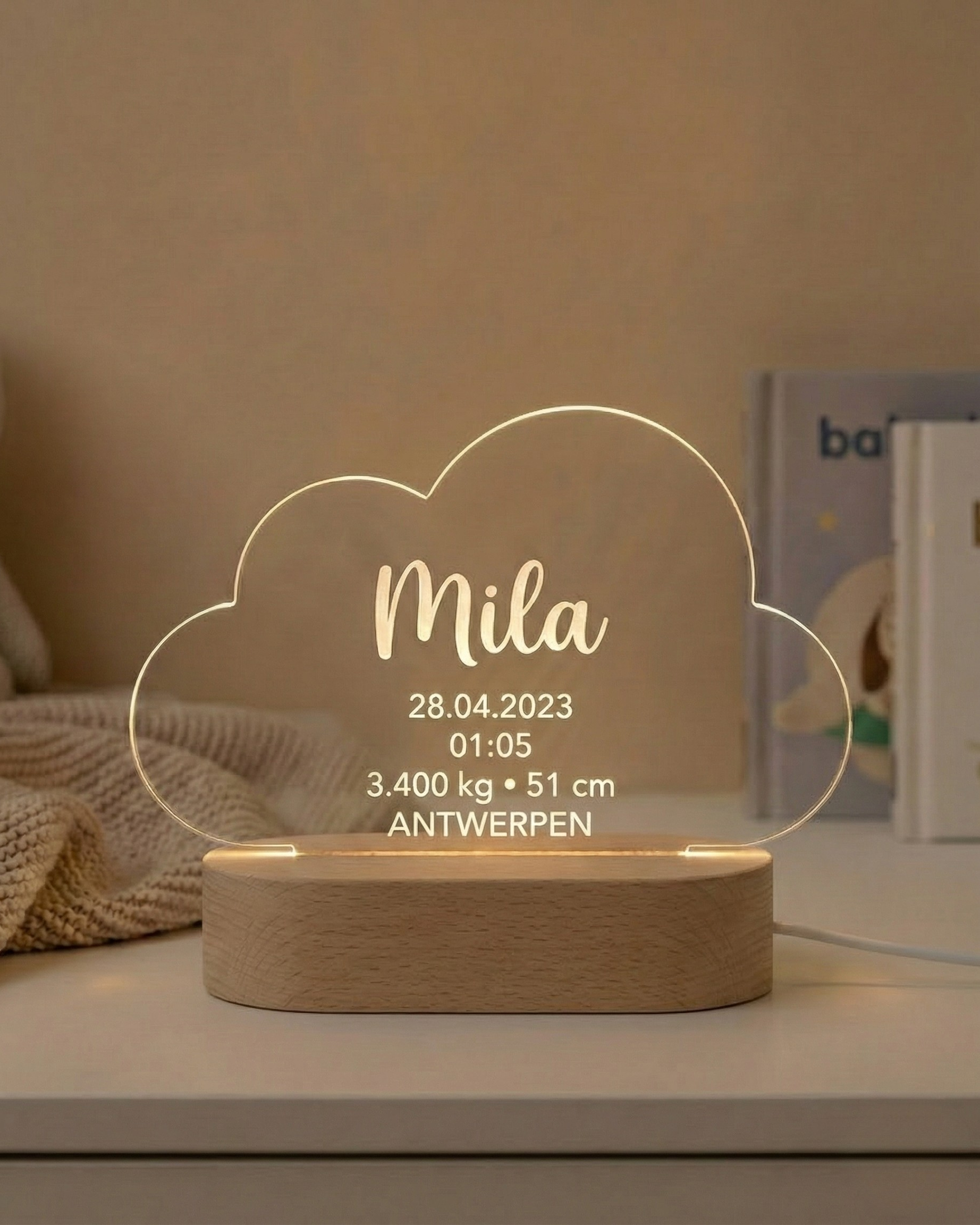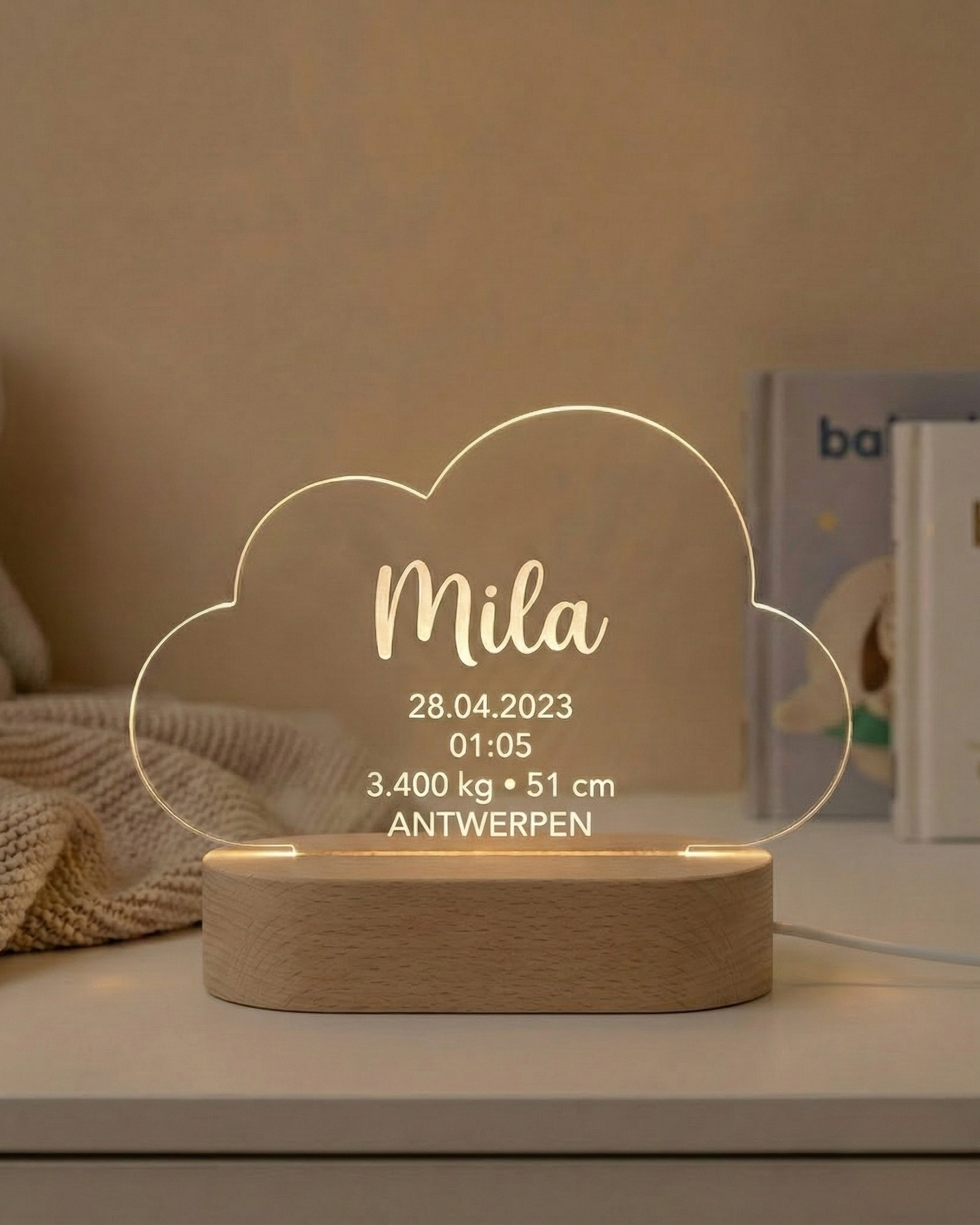
Before ordering FirstLight™, verify the baby’s name, birth date, time, weight, length and birthplace against one reliable source, keep every unit and format explicit, then compare the emailed Design Proof character by character before approving it. FirstLight™ is AtaNova’s personalised birth stats lamp: the confirmed details are laser-engraved into clear acrylic and displayed in a solid wood USB-powered LED base. It belongs to both the personalised Lamps collection and the Baby & Kids collection because it turns factual birth information into an illuminated keepsake.
Accuracy matters more than adding extra wording. The engraving can only reflect the information submitted with the order and approved in the Design Proof, so confirm the facts first and make visual choices second.
If you still need to choose the product format, acrylic shape or light option, start with the FirstLight™ Buying Guide.
The Five-Minute Check Before You Order
- Choose one reliable source. Use parent-confirmed information, a birth announcement, hospital document or another record supplied by the family.
- Copy every detail exactly. Preserve spelling, accents, hyphens, spaces, numbers and units.
- Choose clear formats. Decide how the date, time, weight and length should appear.
- Check the details as one set. Make sure every field belongs to the same child and birth.
- Repeat the check on the Design Proof. Review the final layout before engraving begins.
Use One Source of Truth
Errors often appear when details are collected from several messages written in different formats. One person may send the weight in grams, another may remember it in kilograms, and a relative may shorten the hospital name or miss an accent in the baby’s name.
Use one primary source wherever possible. Parent-confirmed details are usually the clearest starting point. A birth announcement, hospital card or family record can also help when it is complete and readable. When two sources disagree, confirm the correct version before ordering rather than choosing the version that looks more likely.
How to Check Each Birth Detail
Baby’s Name
Check the exact spelling the family uses, including accents, apostrophes, hyphens, spaces and middle names. Confirm whether the design should show a first name, full name or preferred name. Do not automatically shorten a double name or remove an accent because another version looks simpler.
Birth Date
Check the day, month and year separately. A written month, such as 12 March 2026, is clearer internationally than a fully numerical date that could be read in more than one order. A numerical format is also acceptable when it is the family’s preference, but it should be entered exactly as it needs to appear.
Time of Birth
Confirm the exact recorded time and choose either a 24-hour or 12-hour format. In a 12-hour format, include AM or PM so the time remains unambiguous.
- 24-hour example: 15:42
- 12-hour example: 3:42 PM
Check every digit. Birth times are easy to transpose when copied from a message.
Birth Weight
Always include the unit. The same weight may be written as 3.42 kg or 3420 g, but the number should not appear without context. Use the version the family prefers and avoid converting between grams and kilograms unless the conversion has been checked.
Birth Length
Enter the confirmed length with its unit. Check that it is the baby’s birth length rather than a later measurement from a health appointment or milestone update.
Birthplace
FirstLight™ can include a city, hospital name or another meaningful birth location. Decide which type of place the family wants shown, then check its spelling. A hospital and a city are not interchangeable when the specific place is part of the story.
Optional Short Message
Review the optional message separately from the factual birth details. One or two short lines usually create the clearest layout. Check spelling and punctuation, but do not let a long quotation compete with the name and birth information.
Common Format Mistakes to Avoid
- Using a numerical date without confirming the day-month-year order
- Writing a 12-hour time without AM or PM
- Providing weight or length without a unit
- Changing between grams and kilograms without checking the conversion
- Mixing commas and full stops as decimal separators unintentionally
- Shortening a name, hospital or birthplace without family approval
- Copying details from different children or different messages into one order
The family may choose any clear format. The important point is that the selected format is consistent, complete and easy to verify.
Ordering FirstLight™ as a Gift
A gift buyer may know the baby’s name and date but not the exact time, weight or length. Do not guess. Ask one parent or another close family member for the complete details, or request a clear photograph of the birth announcement or record they want used.
When the gift must remain a surprise, ask a family member who has access to the confirmed information and can help check the Design Proof. A short request for the exact spelling, date, time, weight, length and preferred birthplace wording is enough.
Separate Facts from Style Choices
FirstLight™ offers 3-Color Light or RGB and four acrylic shapes: Standard Rectangle, Heart Shape, Circle Shape and Cloud Shape. These choices affect the appearance of the lamp, not the birth information. Confirm the factual data first, then choose the light and shape that suit the room or recipient.
What the Design Proof Does—and Does Not Do
A digital Design Proof is sent by email before engraving. It shows how the submitted information appears in the layout and allows a small correction before production begins. The complete process is explained on AtaNova’s How It Works page.
The Design Proof is not an independent check against hospital or family records. AtaNova prepares the layout from the information submitted with the order, so the customer must compare the proof with the trusted source used during the initial check.
Engraving begins only after the final layout has been approved. Once the approved design has been engraved, the personalised information cannot be changed on the finished acrylic panel.
How to Review the Design Proof
- Open the original source beside the proof.
- Read the baby’s name one character at a time.
- Check the date and every digit in the time.
- Check the weight and length numbers with their units.
- Check the birthplace spelling and optional message.
- Confirm the selected light and acrylic shape.
- Approve only when every field matches.
Do not review the proof from memory. A side-by-side check is faster and more reliable.
Final Approval Checklist
- Name: exact spelling, accents, punctuation and spacing
- Date: correct day, month, year and format
- Time: correct digits and clear 12-hour or 24-hour format
- Weight: correct number, decimal separator and unit
- Length: correct number, decimal separator and unit
- Birthplace: correct city, hospital or chosen location wording
- Message: short, correctly spelled and intentionally punctuated
- Options: correct light type and acrylic shape
Every FirstLight™ is made to order in our atelier in Antwerp after Design Proof approval. The overall delivery promise is 3–5 business days from the order date, so reviewing the proof promptly helps the order continue without avoidable delay.
Choose FirstLight™ When the Birth Details Are the Memory
FirstLight™ is the relevant AtaNova product when the baby’s exact birth facts should be the centre of the gift. The name, date, time, weight, length and birthplace are laser-engraved into clear acrylic rather than printed on the surface, then illuminated by the solid wood USB-powered LED base.
Explore the FirstLight™ Birth Stats Lamp, compare other illuminated personalised designs in the Lamps collection, or browse more newborn and nursery keepsakes in the Baby & Kids collection.
Frequently Asked Questions
What details do I need before ordering FirstLight™?
You should prepare the baby’s name, birth date, time, weight, length and birthplace. You can also add an optional short message.
How should I write the birth date?
Use the format you want engraved. A written month, such as 12 March 2026, is often clearer internationally than a fully numerical date.
Should birth weight be written in grams or kilograms?
Either format can be used. Enter the confirmed number with its unit, such as 3420 g or 3.42 kg, and use the version the family prefers.
What should I enter as the birthplace?
You can enter the city, hospital name or another meaningful birth location. Confirm the preferred wording and spelling with the family.
Can I guess a missing birth detail when ordering a gift?
No. Ask a parent or close family member, or use a reliable birth announcement or record supplied by the family. A birth stats keepsake should use confirmed information.
Will AtaNova verify the birth details for me?
No. AtaNova prepares the design from the information submitted with the order. The customer must verify the facts against a trusted source.
Can I correct a mistake after placing the order?
Yes, corrections can be requested during the Design Proof stage. Once the final design has been approved and engraved, the information cannot be changed on the finished acrylic panel.
What should I check in the Design Proof?
Check every character in the name, every digit in the date and time, the weight and length units, the birthplace spelling, the optional message and the selected design options.
Can I order FirstLight™ before the baby is born?
Yes. The order can be placed before the birth, but the complete birth details must be confirmed and the Design Proof approved before engraving begins.